Tasty Safari v1.5
Copyright © 2004, Brian Enigma <brian @ netninja . com>
 |
Download Tasty Safari v1.5, binary and source code, 8MB Download just the source code, including dependent libraries, multimedia, and build files, (4MB) |
Features
- Download your subscribed links on del.icio.us into Safari
- Backs up previous 9 versions of your bookmarks in case of disaster
- Tested with Safari 1.2 (v125) and OS X Panther
Fixed/Added in v1.5
- Added preview of bookmark bar
- Checkmarks to enable/disable Delicious home, your Delicious page, and your Delicious inbox
Process & Backups
Safari stores your bookmarks in a folder in your home directory, specifically ~/Libray/Safari/Bookmarks.plist. This is an XML file conforming to the standard Apple Properties List (plist), which basically means it can store nested associative arrays. It stores dictionaries (bookmarks and their associated metadata) and folders (arrays).
Tasty Safari loads a copy of this file into memory. It then processes the copy by adding your del.icio.us bookmarks. Assuming everything happens correctly, a backup is made and the new bookmark plist file is written.
The backup process saves the last nine versions of your bookmarks as files named Bookmarks.plist.#, where # is a number between 1 and 9. The following steps are performed:
- If Bookmarks.plist.9 exists, it is removed
- If Bookmarks.plist.8 exists, it is renamed to Bookmarks.plist.9
- …
- If Bookmarks.plist.1 exists, it is renamed to Bookmarks.plist.2
- Bookmarks.plist is renamed to Bookmarks.plist.1
- The newly formed bookmark data sitting in memory is written as Bookmarks.plist
Every step of the download, import, and save process is accompanied by several “sanity checks.” These ensure that all of the data is in a state that the program expects and can deal with. If something does not look right, Tasty Safari will abort and display information about an “UnexpectedXmlException.” While this is not normal behavior (please send me any details if you get an error like this), it is behavior put in place to ensure your bookmarks never get trashed.
To-Do List
- Enable the Cancel button
- Currently defaults to putting del.icio.us folder at the far right of the bookmark bar; should be configurable
- Incremental updates–download only what is new since the last time you downloaded
- Rewrite to better separate GUI and back-end code, enabling running from the command line (e.g. cron job)
Screenshots
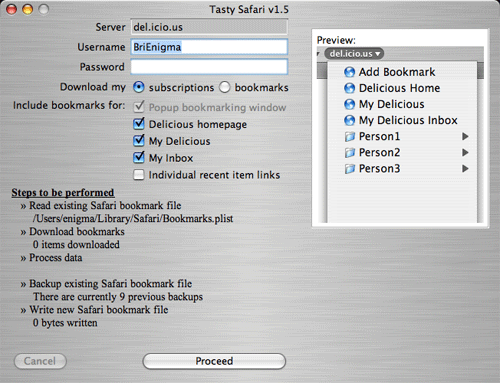
Screenshot 1: Application startup
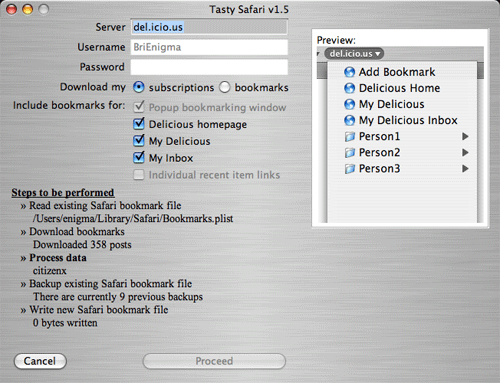
Screenshot 2: Application running
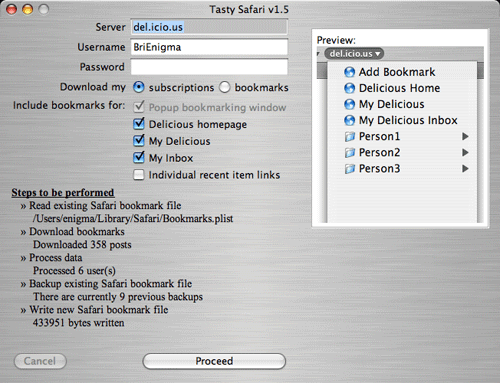
Screenshot 3: Application run complete
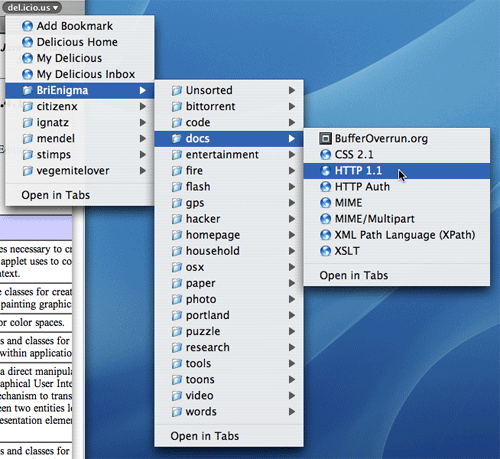
Screenshot 4: Safari bookmarks
Previous Versions
- Version 1.4:
Binary plus source (8MB)
Source code, dependent libraries, multimedia, and build files only (4MB)
Fixed/Added in 1.4:- Download your subscribed links on del.icio.us into Safari
- Backs up previous 9 versions of your bookmarks in case of disaster
- Tested with Safari 1.2 (v125) and OS X Panther
- Version 1.3:
Binary plus source (8MB)
Source code, dependent libraries, multimedia, and build files only (4MB)
Fixed/Added in 1.3:- Most recent few posts (up to 10) displayed in the root menu
- Fixed minor issue with program name appearing as
"Tastyin certain system menus - Enhanced the build/release process
- Version 1.2:
Binary plus source (8MB)
Source code, dependent libraries, multimedia, and build files only (4MB)
Fixed/Added in 1.2:- Fixed problem with extra #text DOM node (\r\n) being introduced when editing your bookmarks between imports
- Removed default username
- Added top-level links for del.icio.us homepage and your add-page bookmarklet
- Version 1.1:
Binary plus source (8MB)
Source code, dependent libraries, multimedia, and build files only (4MB)
Fixed/Added in 1.1:- Added GPL licensing text, removed unused icon from resources
- Version 1.0:
Binary plus source (8MB)
Source code, dependent libraries, multimedia, and build files only (4MB)
Original release