The other night, @verso tweeted a question about running a little wiki on a home file server. I responded with TiddlyWiki, which is a whole wiki contained in a single HTML file. It actually may or may not fulfill her needs, since there are huge concurrency and remote access issues — it’s designed to be run from a thumb drive and used by a single user. This little bit of advice prompted me to write up a more detailed description of how I take notes.
The kinds of notes I keep fall nicely into three categories: deep storage, midrange, and ephemeral. In the following sections, I will describe each type and show what tools I use for them.
Deep Storage
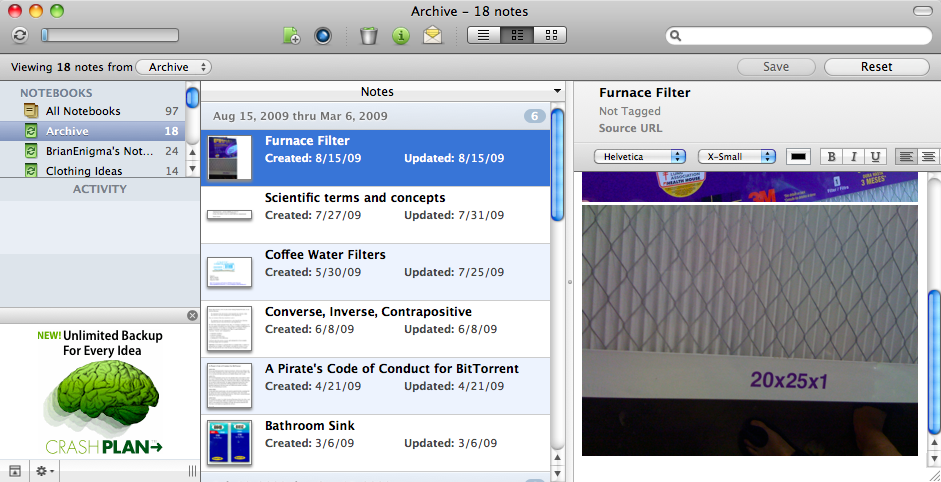
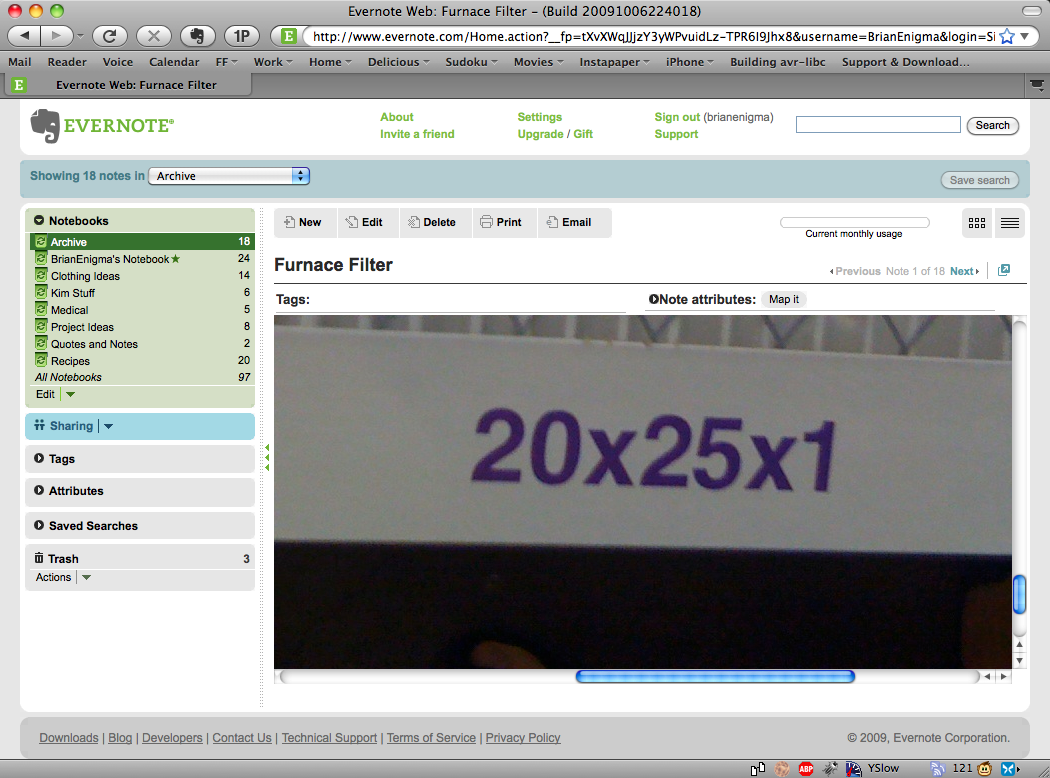
Deep storage includes things that I know I will need in the future, but really don’t care about this second. What size air filter fits in the furnace? (20″x25″x1″) What type of motor oil does my car use? (10W30 x 5) What’s my frequent flyer membership number? What port forwarding rules do I have set up in the firewall? What’s the pinout of a serial port? A USB port? What route does the #19 take versus the #20? What was that recipe for really good lemonade? What .vimrc config file do I typically use?
It is all stuff I need to know someday, but do not need immediate continual access to. It also subdivides into two categories: stuff I consider private or private-ish and stuff that would be of general use to others. Obviously, the private information includes my frequent flyer number, medical history, and even the furnace filter size — because it’s not like anyone else really cares about it. The general information includes config files, shell scripts, technical HOWTOs and whatnot. They are things I did a bit of research on (like integrating WordPress with Livejournal, tunneling a PPP connection over SSH, and finally figuring out an X Windows config file that supports multiple monitors on my crappy video card) and would not mind sharing with the world.
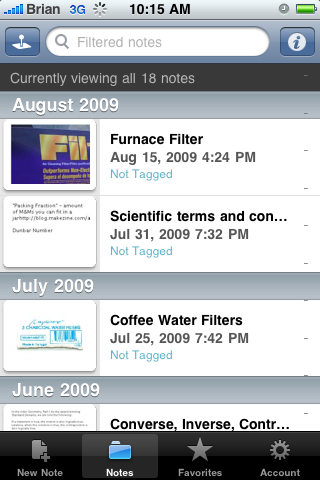
For storing and accessing private information, I use Evernote. They have a great notepad system that I can get to from the web, from a desktop app, and from the iPhone, all accessing and synchronizing with the same centralized datastore. The iPhone bit is important because I never know when, exactly, I might need this information. I may not have easy access to a computer, for instance, when I’m looking up the specifics of a bus route (admittedly, the PDX Bus iPhone app has access to route maps, but I like my Evernote page with all of the routes I commonly use side-by-side in a locally cached document).
For deep-storage of research, notes, and other things that might be of use to others, I run a personal MediaWiki at http://stackoverflow.org/wiki/. The installation is locked down to a single user account partly to prevent spam, but mostly because I am not terribly interested in direct collaboration on this content. I am happy to chat via email and incorporate suggestions, but I do not need the overhead of policing changes by unknown persons of my .bashrc file (be they benign or malicious modifications).
Ephemeral Storage
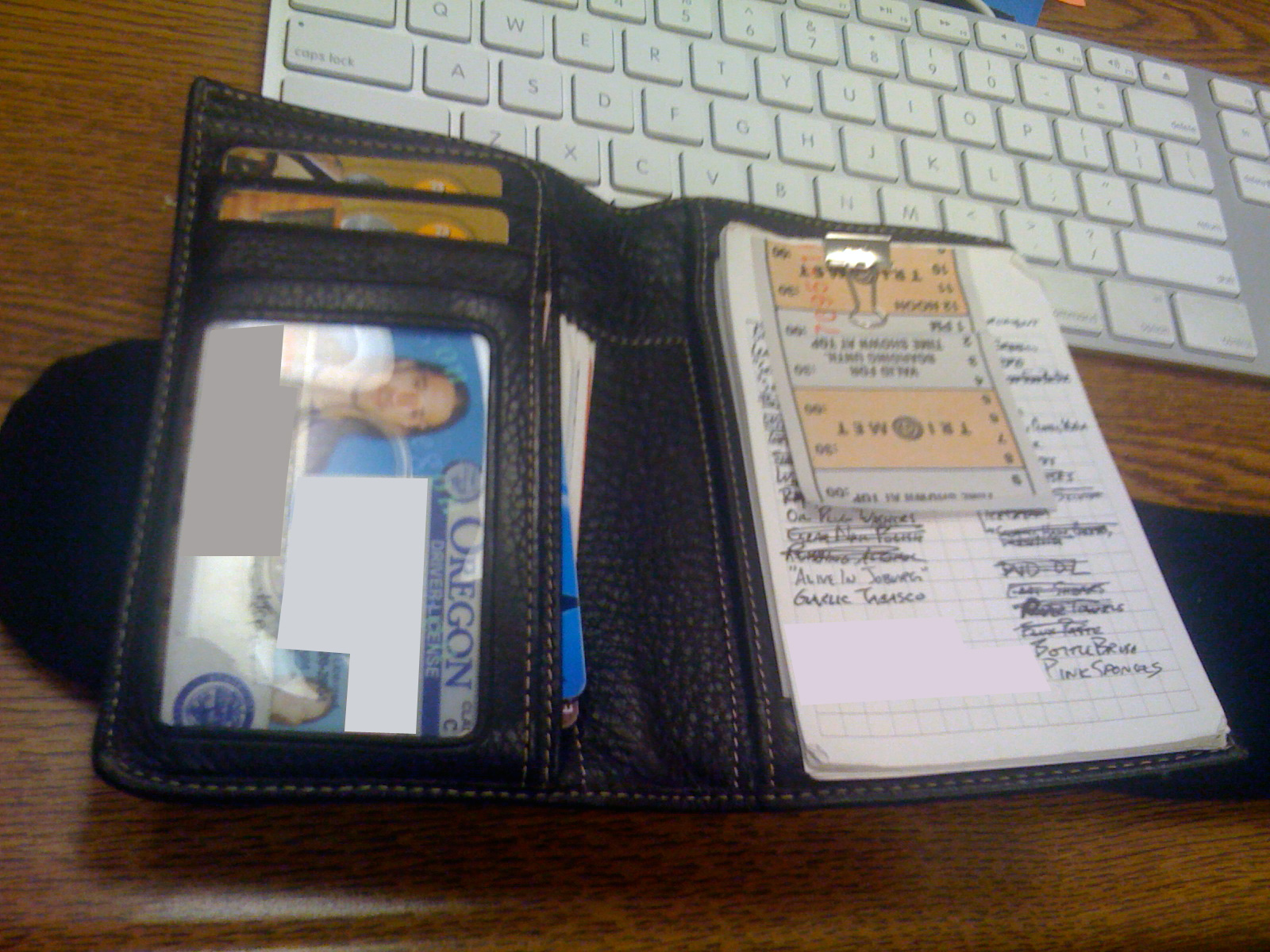
The other extreme is ephemeral storage. I take a good number of notes that have a shelf-life no longer than a few hours or a few days. This is, of course, what the Hipster PDA is all about. You can read more about my history with the Hipster PDA by reading posts tagged with the hipsterpda keyword here at Netninja. A friend suggests a movie, book, or television show to check out later, so it gets jotted in the Hipster PDA. I need to pick something up at the store on the way home, so it goes into the Hipster PDA. What tasks do I need to complete today at the office, or what tasks did I complete yesterday that need to be reported at the Scrum-style stand-up meeting? The email address or website of the person I just met, it goes in the Hipster PDA.
Some of these things go in to the Hipster PDA, kick around for a bit, then get crossed off. Other things migrate into tasks lists, address books, or Amazon Wishlists, depending on context. I used to be a die-hard Palm fan and used my electronic organizer for all such little notes, but the access time was nasty. Think about the iPhone; if you want to jot something down you have to pause your conversation, pull out the phone, turn it on, enter your 4-digit unlock code (your whole life is in your iPhone, so you’re locking it, right?), find and launch the right app, wait for it to load, locate the right screen to enter the note, then fumble with the keypad to type in the information. This is, of course, made more complicated if you are simultaneously using the iPhone for a telephone conversation instead of a face-to-face conversation. The (over-)simplicity of the Hipster PDA is a feature, not a problem. It’s quick, immediate data entry. The filing and categorizing of the information can be left until later.
Midrange Storage
Smack-dab in the middle of these are notes regarding things I am working on. They are too big and detailed to fit in a Hipster PDA (and may include things that would be a pain to transcribe, like code snippets, extracts of log files, half-formed potential blog posts, and the like. The shelf-life of these things ranges from weeks to months. They are not detailed, refined, or conclusive enough to get published in the Stackoverflow Wiki. Evernote feels a bit too cumbersome, and often the formatting gets in the way.
For a long time, I had a continually changing TODO.TXT file on my desktop. I would add stuff to the top, remove stuff from the end, and edit and insert throughout the whole file. It worked, but it may not have been the best solution in the world.
Currently, I use a “wiki” (I have that in quotes, yes, and will explain why in a bit) called TiddlyWiki. You can see it in action as well as download a copy for yourself at http://tiddlywiki.com/. More detailed instructions, explanations, and FAQs are at http://tiddlywiki.org (which is, ironically enough, running on MediaWiki). TiddlyWiki is a “wiki” that is entirely self-contained in a single HTML file and runs entirely in your browser via JavaScript. As you make changes to your TiddlyWiki, they are written back to that very same HTML file. This makes it quite useful for keeping on your computer and even carrying around with you on a thumb drive. But if you are used to a “regular” wiki, there is a bit of a learning curve. Each “page” you create lives in the same web page as sections that can appear and disappear. These “pages” are actually called “tiddlers” and I was originally told to think of them as 3×5 cards or sheets of paper. You can bring them into view and push them out of view. You can even have multiple tiddlers open side-by-side (or, rather, over-under) on the same screen. It does not quite work like a “normal” wiki, but this design has many of the same advantages as a notepad or TODO list except you can also hide sections that are not terribly relevant to what you are interested in at any given time.
What really makes the TODO.TXT or TiddlyWiki slick is Dropbox. Because Dropbox lets you synchronize multiple computers, I can have a copy on my Linux desktop at work, my laptop (which moves between work and home), and my desktop at home. I can even get to it (read-only, due to the way the JavaScript works) on my iPhone, but have never really needed that. It gets shared and updated everywhere, and I do not have to think about moving it around between machines.
Tasks
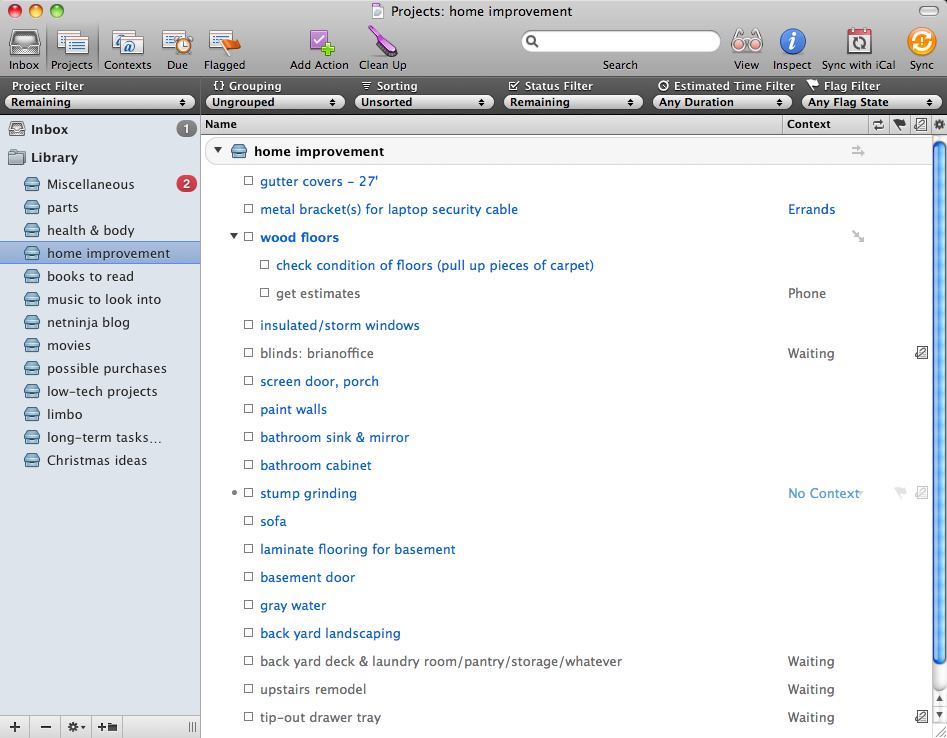
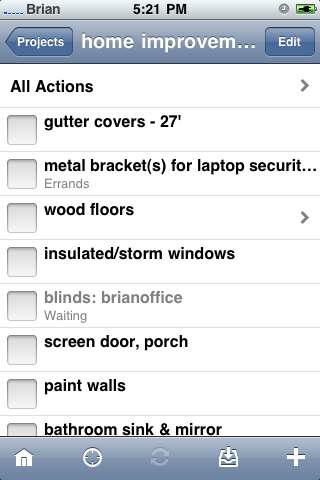
Tasks are sort of tangential to the deep/medium/ephemeral information described above, but worth including in this discussion. For me, if a single task or checklist of tasks is not work-related, OmniFocus is the place it goes. The not-work-related limit is due to the fact that my main OS at work is Linux, and it has just been too difficult to switch from workstation to iPhone or laptop for task management. This is where I put short-term tasks like Ebenezer’s reoccurring bi-weekly bath. Longer-term wish list type stuff goes in there, too, like various house remodel ideas. Even things I want to be reminded about in the future go into here: next year’s Highland Games are a long ways off, but a month beforehand I want to get a reminder so I can free up the weekend, get tickets, and talk to friends about it. Of course, OmniFocus has an iPhone client, too. I do not find the iPhone client quite as useful as the Hipster PDA, but I still occasionally run it.
And Finally…
So that is me and my notes and tasks. I’d love to hear if any of this works for you, or if you have suggestions, questions, alternatives, or improvements to any of this.


Cryptide asks via Twitter, “where do i get this wallet?”
That is actually the International Pocket Briefcase from Levenger. As you can kind of make out from the picture (actually, click on “More Photos” for a better image), there are a pair of tabs for inserting cards into the right side of the wallet. I don’t really use that very much (I have a card there with things like phone numbers, because sometimes I have to give out my phone number, landline, or wife’s number and it’s easier to glance at that than dig through the iPhone). I mainly use the wallet to envelop a hipster PDA.
And if you wait long enough, it goes on sale a few times a year. The thing with Levenger is that all of their products are pretty expensive. They’re well made, yes, and even worth full price — but you can often catch good sale prices or discount coupons if you wait long enough.