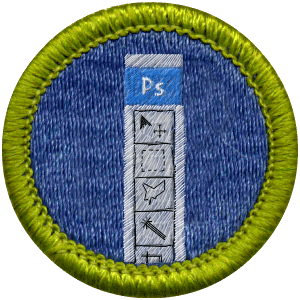
I signed up for Color Wars today as part of Go Team Pants! My first submission is part of the “make your own merit badge” challenge. I present to you my submission: the Photoshop merit badge.
Posted in: 

I signed up for Color Wars today as part of Go Team Pants! My first submission is part of the “make your own merit badge” challenge. I present to you my submission: the Photoshop merit badge.
Awesome! How did you make that, did you use the embroidery effect generator that colorwar linked to? I can’t get any good output from it.
@Thunderclap8: I am cursing the iPhone’s inability to cut and paste right now because I can’t just give you the link, but no I did not use the effect generator they linked to (it was an EXE file) and instead used the tutorial they linked to (the one where you just draw a bunch of lines, apply the emboss effect, then airbrush behind them to better fill in the color.) It probably also helped that I have a ton of merit badges and am at least passingly familiar with the types of stitches they use and their appearances.
hey, could u email me the link to the tutorial, id love to learn how to this
It doesn’t look like the link to the tutorial (at colorwars.com) is up anymore. It’s been almost two years and neither my memory nor my browser history are good enough to go back that far for the link. I’m sure a little Google searching might help you.
will do, thanks anyway 🙂
and good work on the image
forgot to give you my email lol
adithsubramanian@gmail.com
thanks a bunch 🙂